 MSP ERP
Step-by-step guide
Enterprise solutions in practice: how to run a cycle count by bin
This advanced warehouse management (WMS) example shows how to count a specific bin, record what staff found, and document a variance for review before making an inventory adjustment.
Before you start
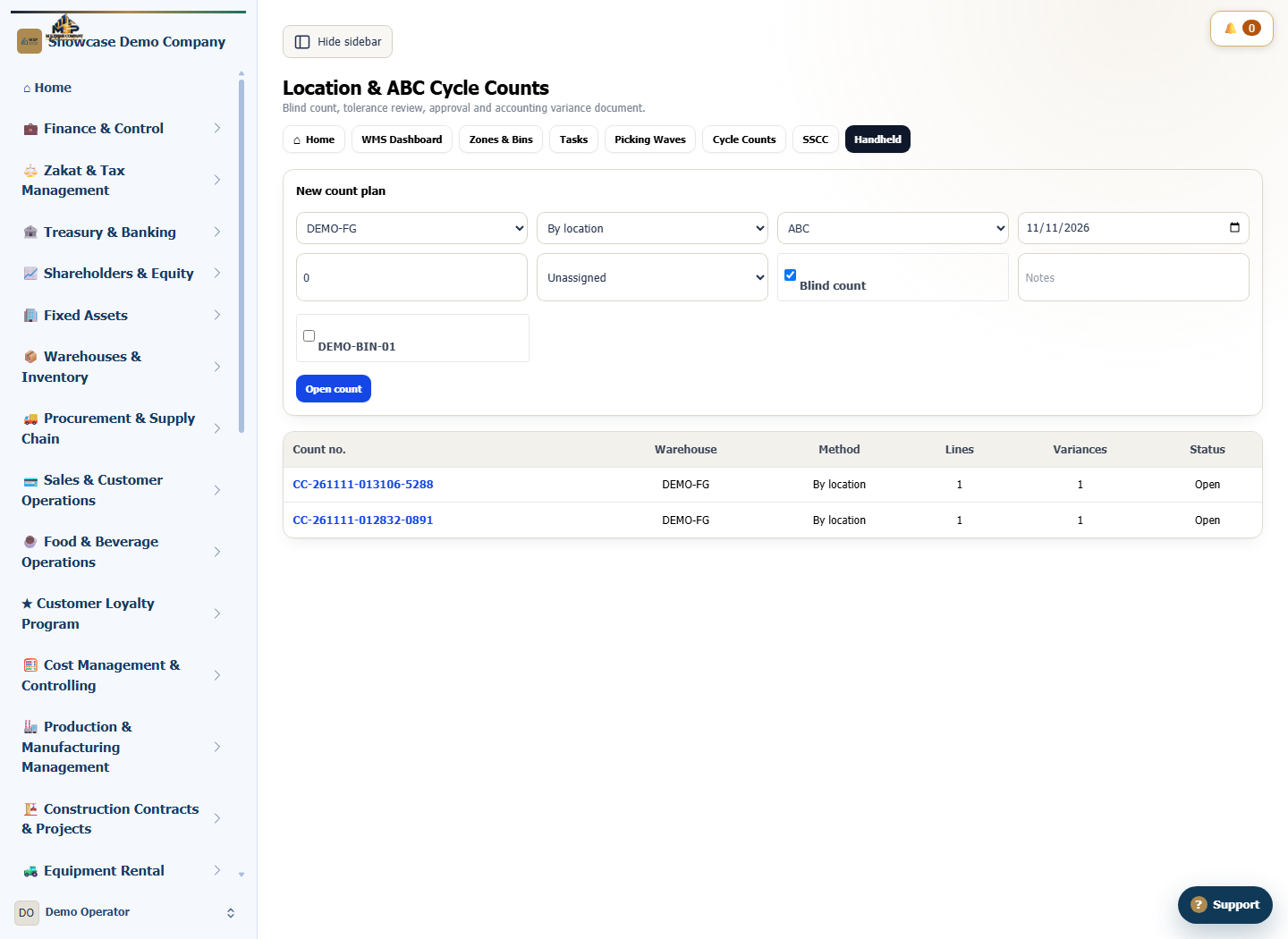
The example uses warehouse DEMO-FG and bin DEMO-BIN-01. The system shows 17 units of DEMO-POS-01 in the bin. We use a visible count and a 2% variance tolerance.
Steps to follow
Plan a bin count
Open WMS Cycle Counts and select warehouse DEMO-FG. In New count plan, choose the location method and select DEMO-BIN-01.
Set the tolerance and open the count
Set Tolerance % to 2 and clear Blind count to show the system quantity during the count. Select Open count and check the count number, item and system quantity.
Record the count and explain the variance
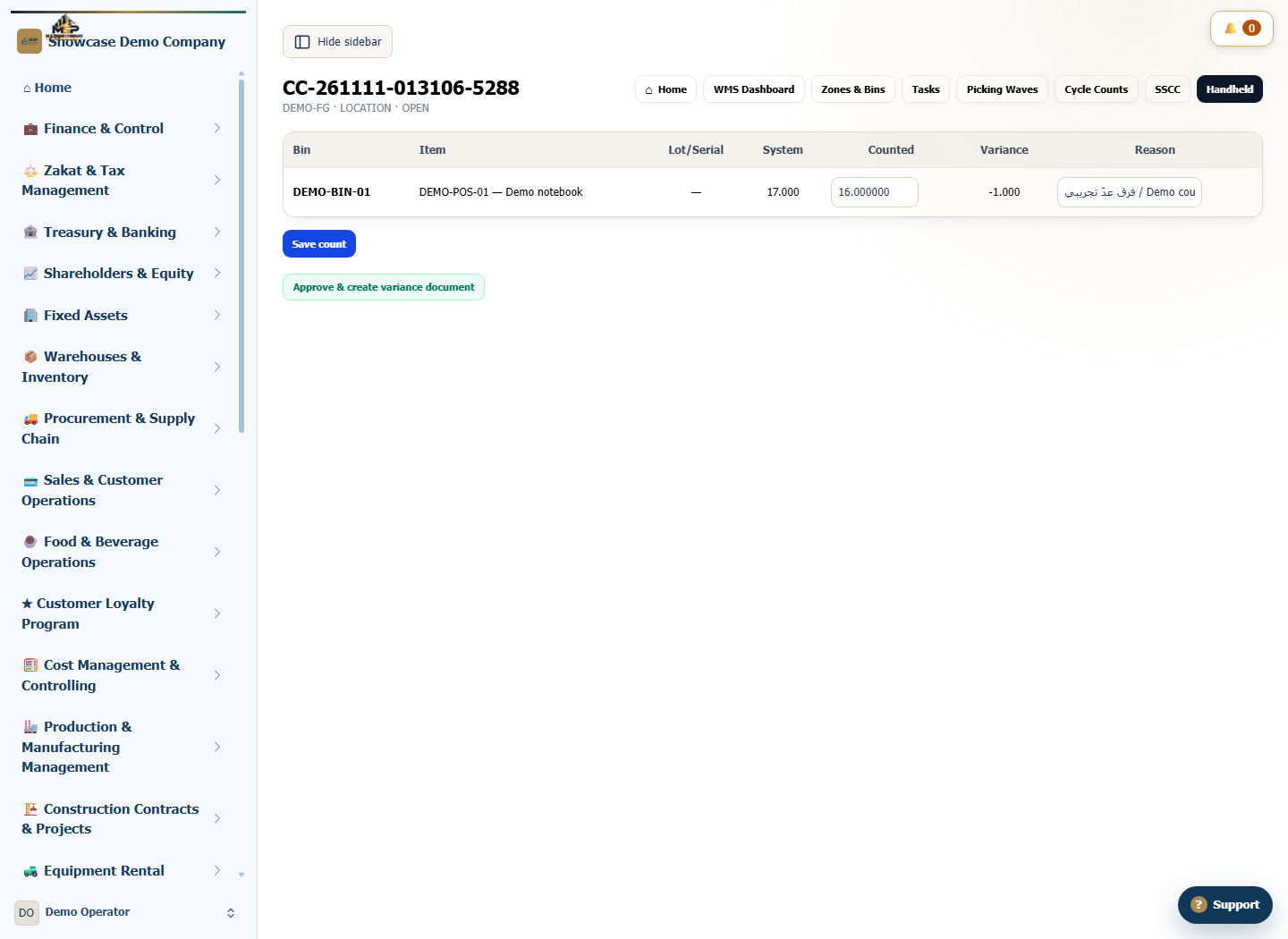
Enter 16 under Counted for DEMO-POS-01. The difference from 17 units exceeds the 2% tolerance, so enter Demo count variance in Reason and select Save count.
Review the result before approval
Check that Variance shows −1 unit and the reason is saved. Leave the plan open for review; approval is the separate step that creates the inventory variance document.
What to check
Match the bin, item, counted quantity and reason. In the example, the count was saved for review and no inventory variance document was created.