 MSP ERP
Step-by-step guide
How to prepare a draft zakat scenario for review
Save a zakat scenario as a draft and review manual entries and source figures before moving to approval and posting.
Before you start
The training example uses DEMO-ZAKAT-GUIDE from 1 January to 31 December 2025. Use a demo period that does not overlap an existing zakat period in the showcase company.
Steps to follow
Open the zakat calculation screen
From Zakat & Tax Management, open Zakat Calculation from Trial Balance and go to New scenario.
Create an estimated draft
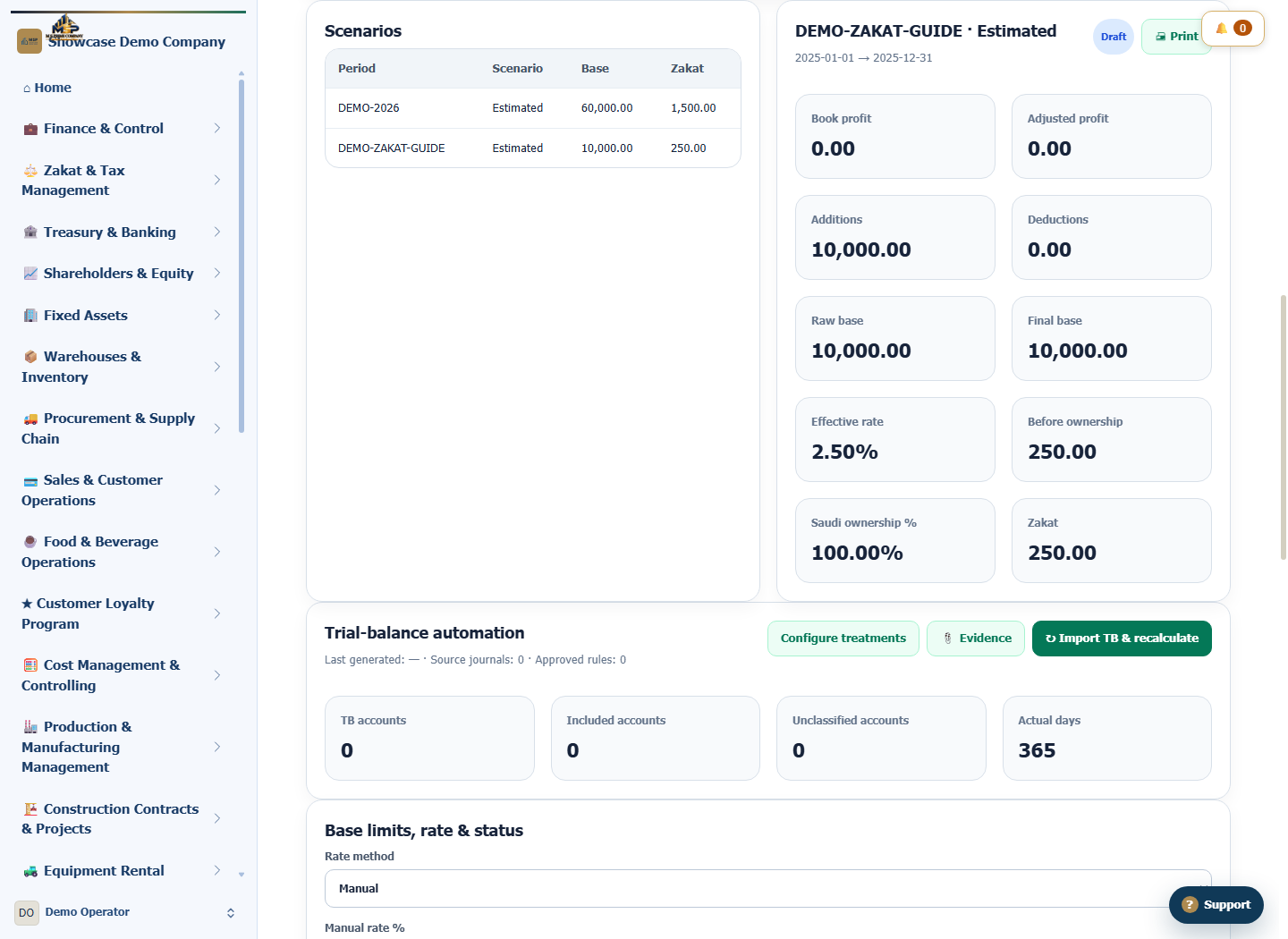
Enter the period code and dates, then choose Estimated. Choose the manual rate method and use the example rate shown in the screenshot. Select Create and check the draft status.
Add the fictional review entry
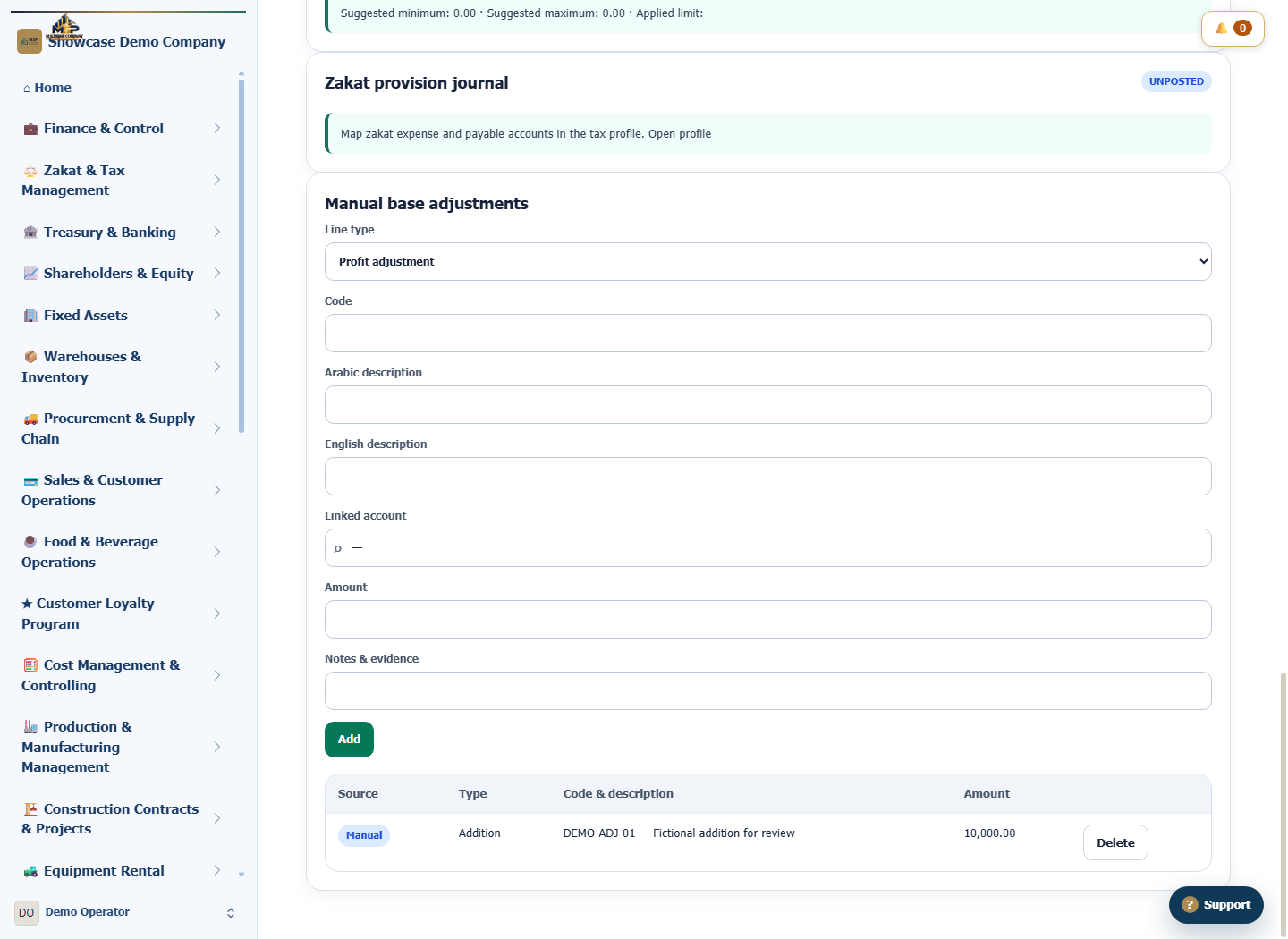
Under Manual base adjustments, choose Addition. Enter code DEMO-ADJ-01, a fictional description and SAR 10,000, then select Add.
Review the entry and scenario status
Reopen DEMO-ZAKAT-GUIDE from the list. Match the code, amount and manual source, and check the dates and draft status. In a real workflow, the specialist reviews the trial balance, evidence and calculation settings before approval.
What to check
The figures are for training. Check that the manual entry appears under the intended period and the scenario remains in Draft.