 MSP ERP
Step-by-step guide
How to qualify a CRM lead into a sales opportunity
CRM records the contact, source and owner, then carries the key details into a sales opportunity when you qualify the lead.
Before you start
The example uses Tutorial Demo Lead from Demo Pipeline Co., a referral with an estimated value of SAR 12,000.
Steps to follow
Start a lead record
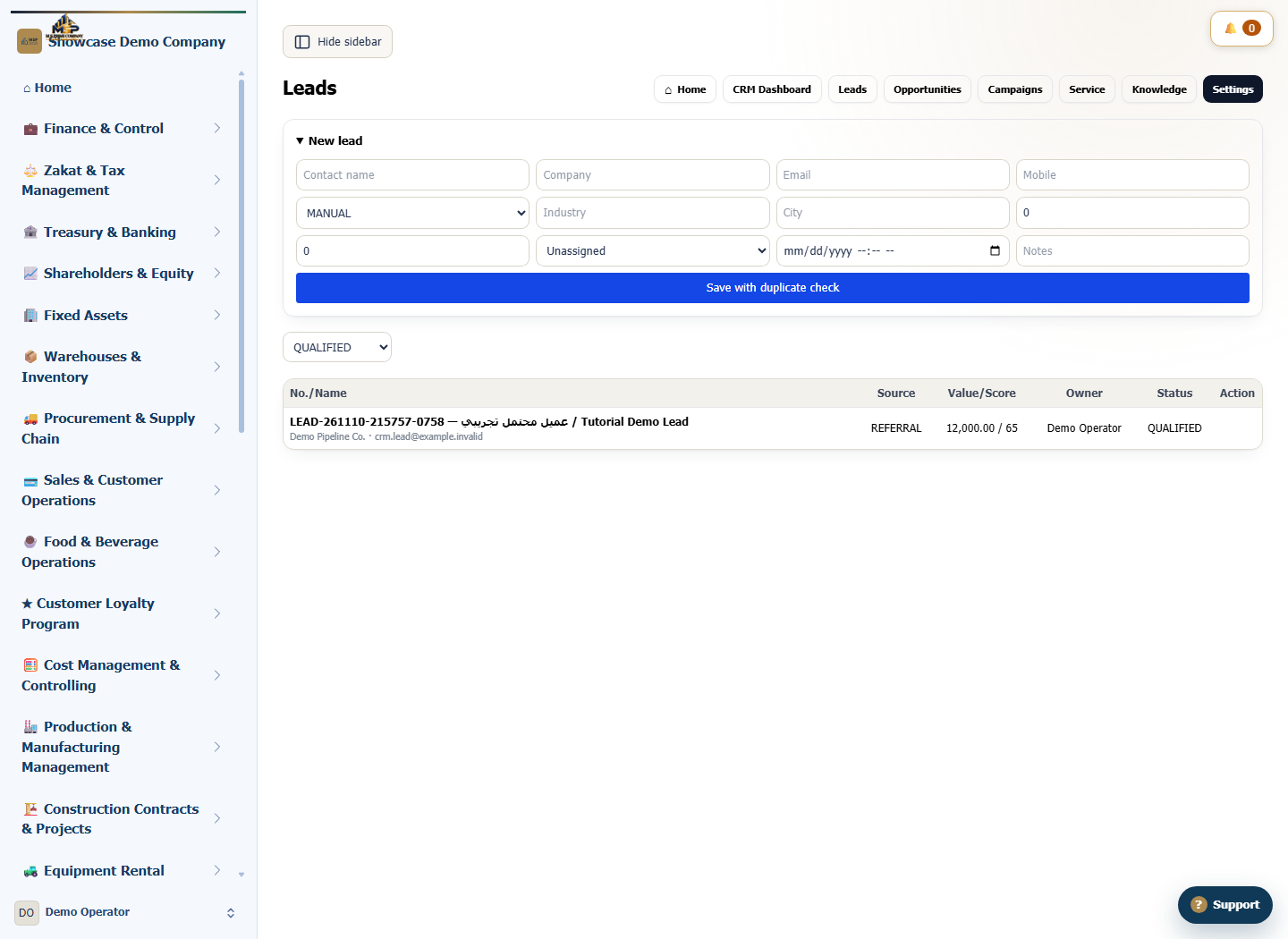
In CRM, open Leads and expand New lead. Enter the contact and company names and select REFERRAL as the source.
Add follow-up details and save
Enter the example value of SAR 12,000 and a score of 65, then choose the owner. Select Save with duplicate check and confirm the lead appears as NEW.
Qualify the lead
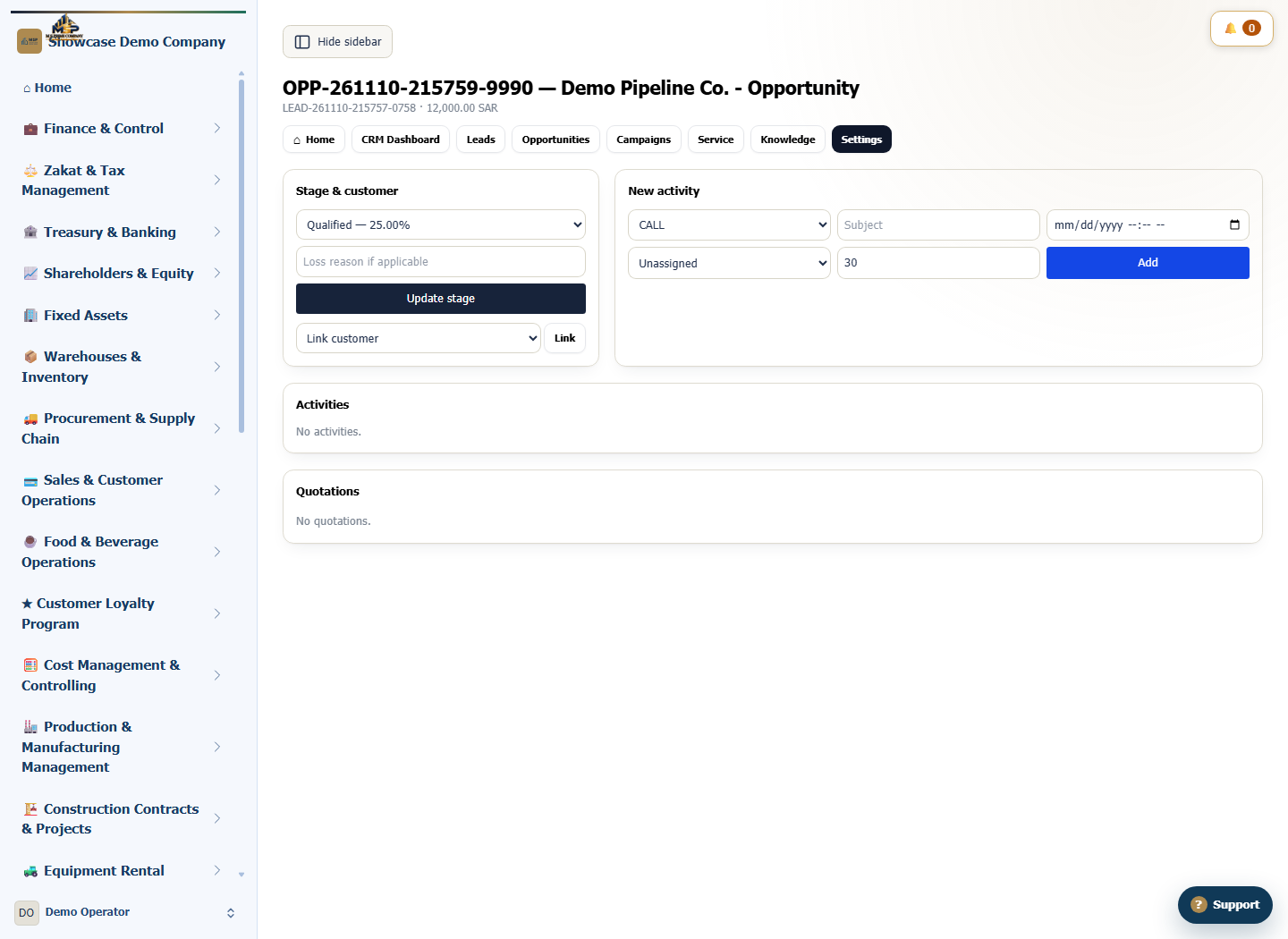
Once the lead is ready for sales follow-up, select Qualify on its row. MSP ERP creates an opportunity and opens its details.
Match the opportunity to its lead
Check the opportunity number, Qualified stage and SAR 12,000 value. Return to Leads and select QUALIFIED in the status filter to verify the original record.
What to check
The estimated value belongs to the opportunity. Confirm its owner and stage before recording the next activity.