 MSP ERP
Step-by-step guide
How to trace a production cost from its reference to the product report
The movement register shows the reference, cost element and amount for each entry. The Cost Object Ledger groups posted movements by object, such as a product or project. Use both screens to see what makes up a product total.
Before you start
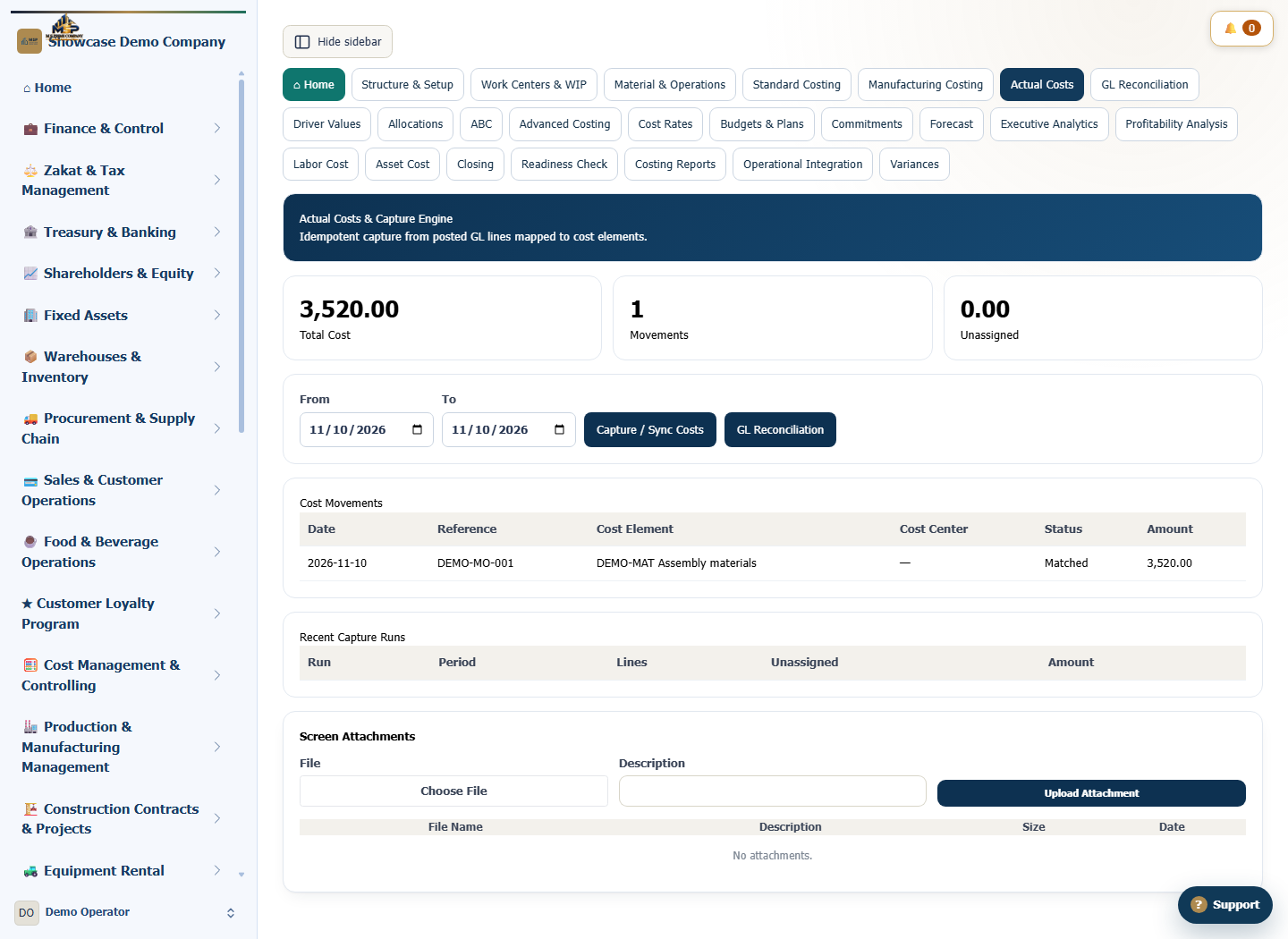
The example uses production movement DEMO-MO-001 for SAR 3,520, assigned to demo panel DEMO-PNL. Use the movement date shown in the screenshot for the report period.
Steps to follow
Open the actual costs register
In Cost Management & Controlling, open Actual Costs and go to the Cost Movements table.
Match the production movement reference
Find DEMO-MO-001. Check the movement date, the Assembly materials cost element and the SAR 3,520 amount.
Open the Cost Object Ledger
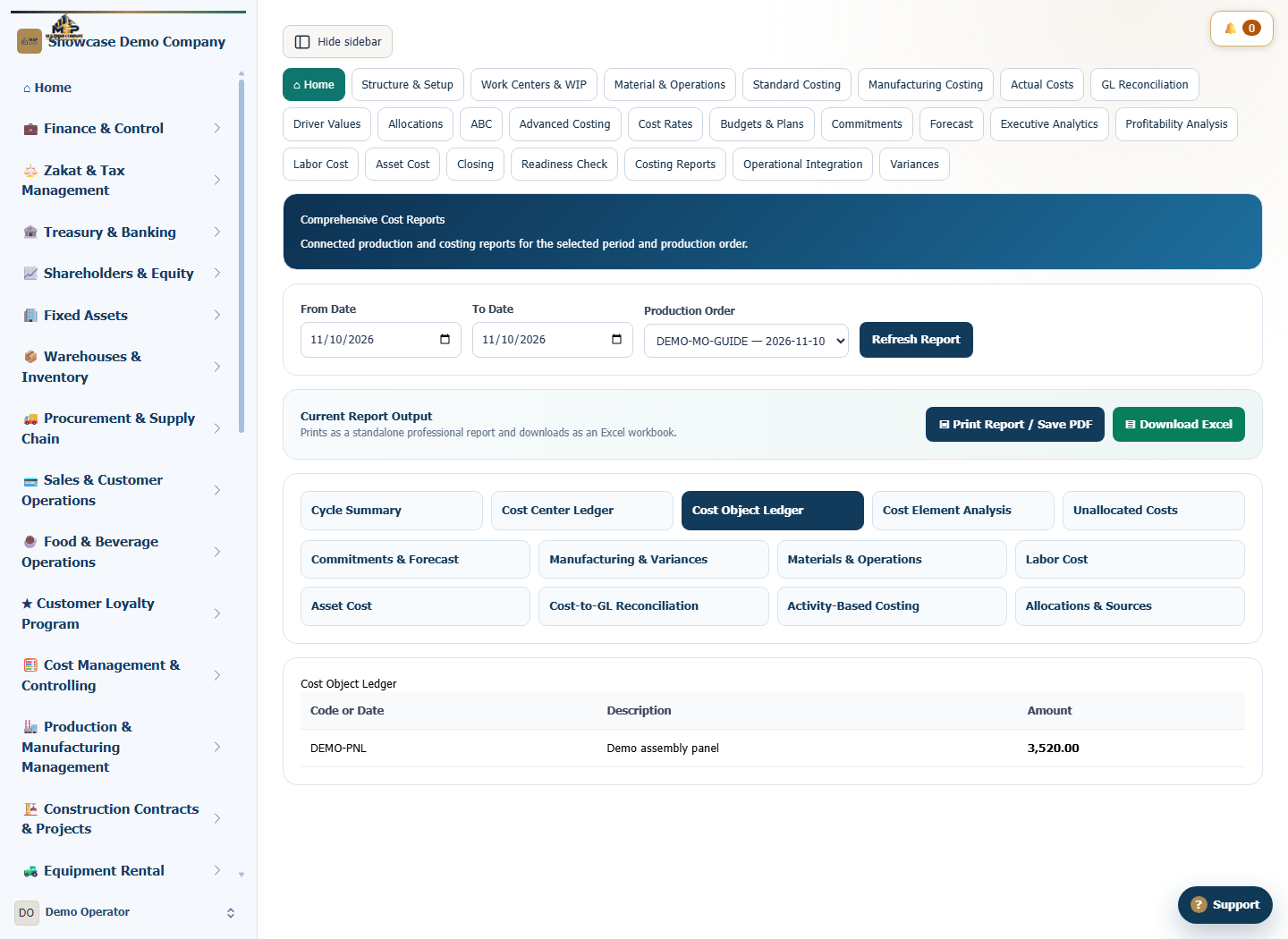
In Comprehensive Cost Reports, choose Cost Object Ledger. Set From and To to the movement date, select Refresh Report and find DEMO-PNL.
Explain the product total
The demo shows SAR 3,520 for the product because this is its only movement that day. If your total differs, check the other posted movements for the object, the report period and the selected branch.
What to check
Compare the individual movement with the object total and check each screen’s scope. The movement register covers the company for the period. The object ledger respects the selected branch and aggregates posted movements.